Fatal Claw on Steam Deck
Playable with a controller — not a Verified claim on this wiki.
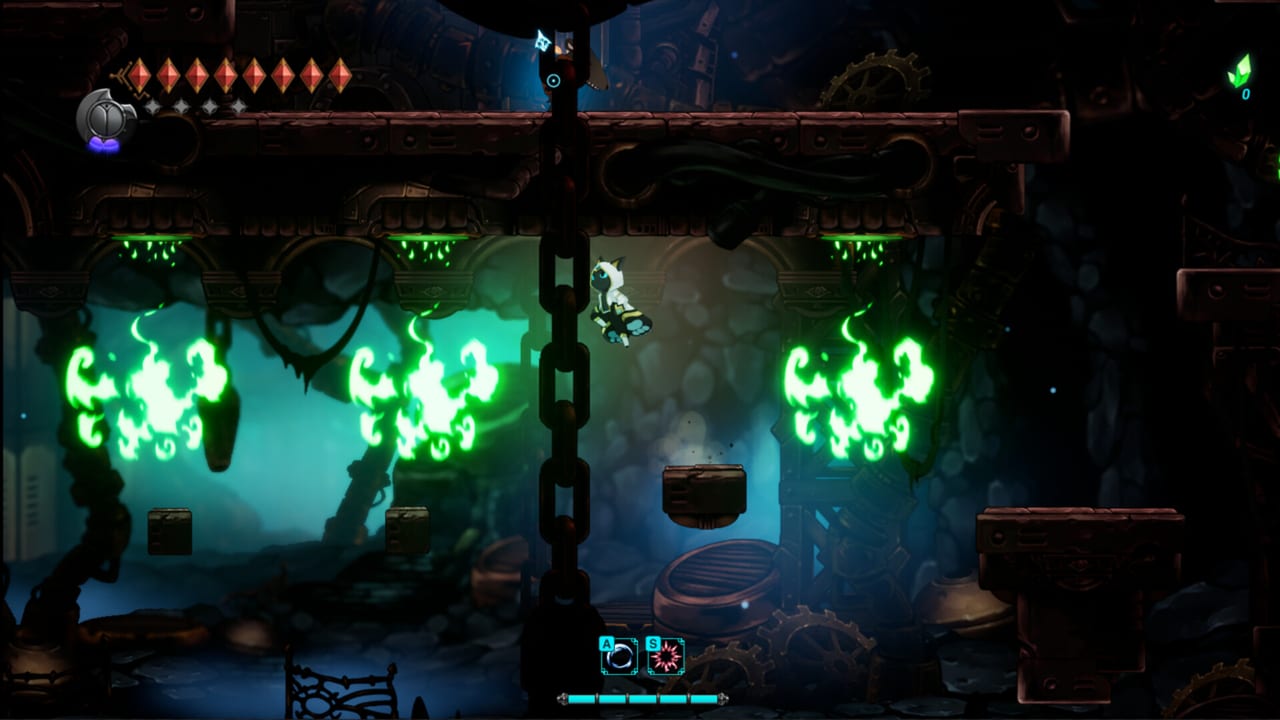
Fatal Claw 1.0 is a Windows Steam Metroidvania with full controller support and a Steam Deck Playable store rating. This page is the handheld guide. It is not an official Valve Verified report. If your Deck client shows Verified, believe Valve. If it shows Playable, believe that too. This wiki will not upgrade the badge to make a sentence prettier.
Specs are modest: 3 GB install, DirectX 10 minimum, GTX 560-class recommended. That is why Deck is a reasonable target. It is still a 2D game with particle-heavy Kannir and marsh rooms. Expect the usual handheld work: TDP, fan curve, and not running Chrome in the background.
For the PC table, see System Requirements. For binds, see Controls. For combat sliders when hitching ruins Blink, see How to Play.
What Playable means here
Playable means you can finish the game with a controller on Deck. It does not promise 60 FPS in every Elord Square. It does not promise that every keyboard prompt in an old screenshot remaps perfectly. Open the in-game customization menu on the device you are holding. Confirm Look Up / Look Down. Confirm that Steam Input is not stacking a community layout on top of native binds unless you chose that.
Full controller support is a Steam tag, not a maybe. Analog stick dead zone was increased in v0.9.265 after feedback. If the stick feels dull compared to a desktop pad, that patch is why — try a smaller in-game dead zone only if the menu offers one, and do not fight Steam Input and the game at the same time.
Performance and thermals
There is no official “Deck mode” in the patch notes. Use SteamOS performance overlay. If a dense Kannir Belt or Elord Castle room stutters, lower TDP or in-game quality if a slider exists, then test the same arena again. Frame pacing matters more than a fake 120 Hz claim. Fatal Claw is about Blink windows and untelegraphed blades (Ortrinde); a hitch is a hit.
Storage is 3 GB plus shader cache plus screenshots. Keep headroom on the microSD or internal drive Steam uses. Cloud sync can fail in ugly ways on a packed card.
Steam Cloud between Deck and desktop
Steam Cloud is supported. Wait for the cloud icon before you launch the second device. Do not alt-tab a desktop session into a dungeon, suspend Deck mid-write, and then wonder which file won. If a lever in Upper Elord Castle is the kind of flag that can block warps, do not split that session across two machines.
Saves are checkpoint-style, not a save-anywhere button this wiki will invent. Suspend is a Deck habit; treat it as convenience, then confirm you are not in a cutscene-empty map bug. If the map blanks, wait or reload — that was a known issue in earlier builds.
How the game feels on a small screen
Carox is available from minute one, which is friendlier on Deck than Metroidvanias that hide the map. You can still miss markers. Use the touch menu or a back-button chord for map if you bind one; this wiki will not publish a fake official chord.
Text and journals exist. If type is small, that is a 2D HUD on a 7-inch class screen, not a missing accessibility font this page can toggle without looking at your pause menu. Difficulty and accessibility sliders are the honest way to learn Enma on the sofa. Mapper notes from 1.0 pre-release even describe clearing on easier settings; that is a valid Deck session.
Gyro is not a published Fatal Claw feature. Do not expect a gyro claw. Stick and buttons are the design.
What Deck is not
- Not a native Linux package. Deck play is Proton/SteamOS, not an Ubuntu build.
- Not a Nintendo Switch port. Switch is a planned H2 2026 console expansion per publisher comments, not the handheld you are holding. See Nintendo Switch.
- Not multiplayer. Single-player only. Discord is the social layer.
- Not a 1.0 day-one Verified guarantee unless Valve’s listing says so on your device.
If the game will not launch, verify 64-bit-class environment (Deck is fine), free space, and that you are not launching a leftover Early Access shortcut. Then check Updates Hub and Community.
Play 1.0 on Deck the same way you play it on a couch PC: Carox open, heals respected, owl statues used, levers before warps. The clawsome part still works. The screen is just closer.
Frequently Asked Questions
Quick answers to the most common questions.
Is Fatal Claw Steam Deck Verified?
This wiki records a Playable rating and full controller support. It does not claim Verified unless your Steam Deck client shows that badge.
Will my Windows save work on Deck?
Steam Cloud is supported. Wait for sync to finish before you open the game on the second device.
Does it run well on Deck?
Specs are modest (3 GB, older GPU floors). Dense Kannir or castle rooms may need a lower TDP. There is no official Deck preset in patch notes.
Is this the same as the Switch version?
No. 1.0 is Windows Steam. Nintendo Switch is a planned H2 2026 console target, not shipping in the 1.0 Steam build.
Can I use gyro aiming?
Gyro is not a published Fatal Claw feature. Use the controller layout the game supports and confirm binds in-game.