Fatal Claw How to Play
Claw, heal, skills, Blink — then rest at stones and warps.
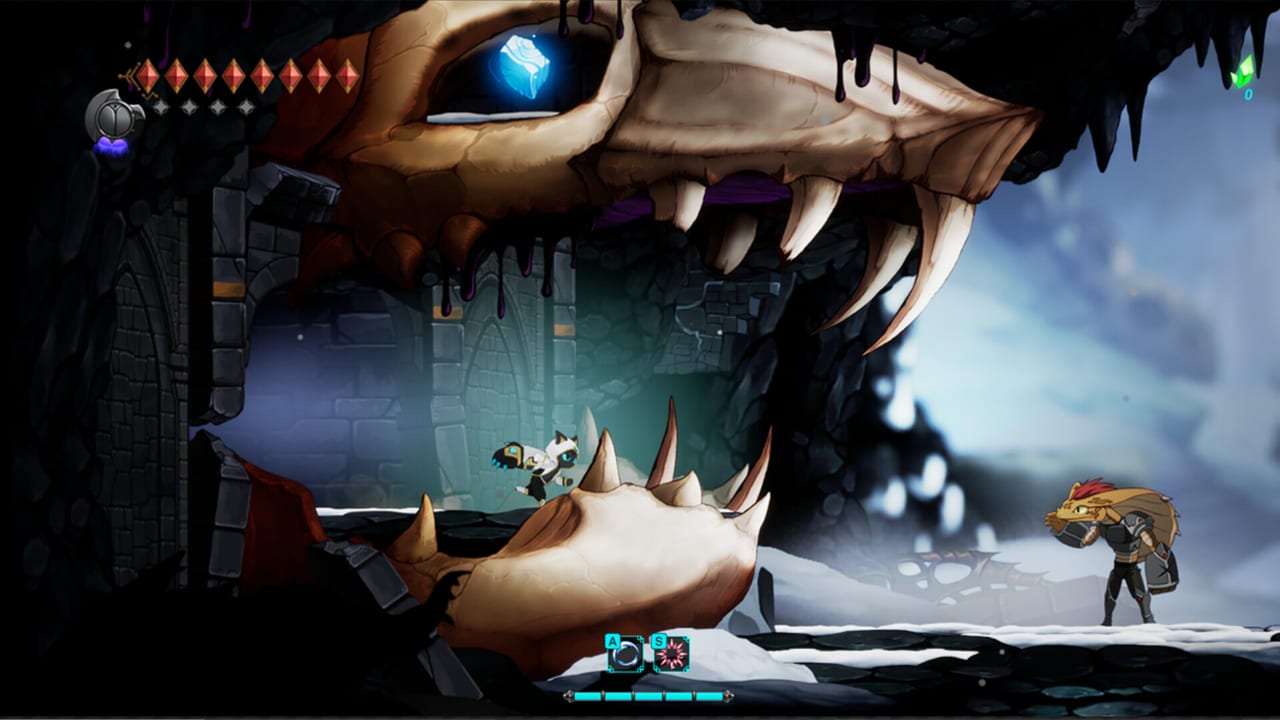
This page is the systems manual for Fatal Claw: how a room is supposed to feel when Kisha is playing well. It is not the first-hour route. For the Origin Laboratory path, use Getting Started. For binds, use Controls. For habits, use Beginner Tips.
Fatal Claw is a 2D action Metroidvania. You explore a nonlinear underground network, absorb power from infected enemies, rescue other survivors, and push toward a way back to the surface. The verbs that matter every minute are claw, heal, Engraved Skills, and Blink. Everything else — Cabitz, Kannium, Stone Warp, owl statues — supports those verbs.
The combat loop: claw, heal, Engraved Skills, Blink
Claw. The store line is rush, jump, claw, and strike. Your basic attack is the Claw. Learn the length of the animation before you mash. Hitting a wall or an enemy is how you gather information; it is not always how you should end a string. Kannium upgrades the Claw (official achievement text: use Kannium to upgrade your Claw). Upgrade when trash packs stop dying in a reasonable number of swings, not because a number went up in a menu.
Heal. Healing is a core mechanic. Early Kisha is intentionally fragile. Spend heals between rooms and during boss patterns you already understand. Do not spend them to skip learning Blink timing. If you are empty before a named fight, farm a safe room or leave. After a boss, owl statues let you recover HP; that is official patch language from the 2nd Expansion, not a rumor.
Engraved Skills. Absorb magical Engraved Skills as you travel, then spend them at the moment an enemy ability needs a counter. They are not a second claw mash. Expansion notes named at least one skill, Reien’s Covenant (wolf-related). The Engraved Skills page is the catalog. In play, keep one skill you understand rather than five you panic-fire.
Blink. Blink is a movement and combat tool. Patch notes mention Blink Attack Boost on the Claw Tree, Blink plus downward attack camera issues (fixed), and Lightning Chain interactions after Blink. Players also argue about Blink puzzles in places such as Elord Castle. Whatever your opinion, treat Blink as a resource with a cooldown or positioning cost: use it to pass a hazard or a swing, not as a walk replacement. If a puzzle asks you to Blink through a volume, look up, look down, and pin the room on Carox before you spend twenty minutes guessing.
Cabitz sit under this loop. They add or customize abilities. Socket a stone early (see Cabitz Builds), then stop swapping every room. Mutated Abilities such as Lyani’s Claws change which rooms you can enter; they do not replace the four verbs above.
Difficulty and accessibility
Fatal Claw lets you make combat easier. Players commonly describe Easy, Normal, and Hard as labels, and the game also exposes per-category accessibility sliders. This wiki will not invent official preset names, damage percentages, or a “Story Mode” that does not appear in the materials we trust. Open the pause menu, find Difficulty and Accessibility, and move combat-related sliders until a room is readable.
Use sliders when:
- You are here for exploration and Cabitz, not for a strict boss exam.
- A challenge or autoscroller room has sparse checkpoints (a real community complaint) and you want fewer deaths per attempt.
- Motor or timing limits make Blink windows inconsistent.
You can change these settings without making a new save. Achievements still exist on Steam; do not invent a Hard-only trophy name. If a trophy requires a special condition, Steam overlay text is the source, not this paragraph.
Saves, checkpoints, stones, and owl statues
Fatal Claw uses a typical Metroidvania rest network: stones, benches, and warps. Steam Cloud is supported, so a Windows desktop and a Steam Deck session can share progress if you let the cloud finish syncing before you launch on the second machine.
Checkpoints exist. Death returns you to a recent rest or checkpoint, not to the title screen. This wiki does not claim a save-anywhere command. Community feedback still flags some autoscroller and challenge rooms as stingy with rest points. Plan those rooms as full attempts from the last stone. If you are about to enter a long scripted chase, rest first.
Owl statues after bosses restore HP when the encounter is over. Use that as a post-fight recover, then open Carox and pin anything the arena blocked.
If progress feels blocked after a teleport, remember the patched Upper Elord Castle issue: using a Stone Warp without activating a lever could soft-lock. Activate obvious levers, then warp. See Updates for the patch that fixed it.
Stone Warp
Stone Warp is the fast-travel / teleport tool named in official bug notes. It is how you jump across the underworld once a warp point is live. Rules of thumb:
- Unlock or activate the local lever, switch, or gate the room is obviously presenting before you warp out.
- Do not warp out of a boss arena until the owl statue and pickup sparkles are done.
- Use warps to return for Lyani’s Claws backtracking, not to skip the marsh gating. Aphotic Marsh is 1.0 late; warping toward black sludge because a pin looks close is how people waste heals.
Carox stays available from the start, so you always know where warps sit relative to pins. If the map blanks during a cutscene, reopen it; that empty-map bug was patched in v0.9.269.
A practical session structure
- Confirm binds and Look Up on Controls.
- Play the first hour with Getting Started.
- Keep heals, Cabitz, and pins honest using Beginner Tips.
- When a named enemy appears — Saitin, Mirkam, Irbes, Ortrinde, and later expansion or 1.0 bosses — open the Bosses Hub instead of grinding the same mistake.
- When the map opens into Elord Castle, Strigine Quarry, Higasha Tundra, or the marsh, switch to the Full Walkthrough and All Areas.
The video on this page is early gameplay for systems feel, not a 100% route. Pause it when you see a verb you have not bound yet, then go test that verb in a safe corridor.
Frequently Asked Questions
Quick answers to the most common questions.
What is the actual combat loop?
Claw for the basic string, heal as a limited resource, spend Engraved Skills as counters, and use Blink for both combat i-frames-style movement and puzzles. Cabitz modify that loop; they do not replace it.
Can I change difficulty in the middle of a run?
Yes. Use the in-game difficulty and accessibility sliders, including per-category options. Common talk uses Easy, Normal, and Hard as labels; confirm the exact names in your pause menu.
Where do I save?
At stones, benches, and Stone Warps, plus checkpoints the game already places. Owl statues heal after bosses. There is no confirmed save-anywhere button. Steam Cloud syncs the files.
What is Stone Warp?
The named teleport / fast-travel tool. Activate local levers before you warp — a 0.9.269 fix addressed a lock in Upper Elord Castle when people warped too early.
Is the video on this page the full walkthrough?
No. It is an early gameplay overview for systems. Use Getting Started and the Full Walkthrough for routing.
Do I need Lyani's Claws to play correctly?
You can play the opening hours without it. Once you unlock that Mutant Ability, backtrack pinned rooms. How to Play still centers claw, heal, skills, and Blink regardless of which traversal tool you just found.